Your data
The web version
Use Mossnote in a browser with no server. Your journal is kept in that browser, works offline, and needs an occasional backup.
The web version is the same app with the server built into the page. Your journals live in the browser's own storage, nothing is sent anywhere, and it keeps working offline once it has loaded. It is for people with no computer to run Mossnote on, such as someone playing on a console with a phone beside them.
Opening it#
- Open the address where it is published, in Safari, Chrome, Edge or Firefox, in a normal (not private) window. The Open Mossnote button at the top of these pages goes to it.
- The page must be served over HTTPS (or from
localhost). Mossnote checks this, along with web workers, WebAssembly and file storage, and tells you what is missing. - The first screen asks for a template and a name, as in Getting started.
How it differs from the computer version#
| Computer version | Web version | |
|---|---|---|
| Journal stored in | A folder of files on the computer | The browser's storage on the device |
| Works offline | Yes, once running locally | Yes, after the first load |
| Phone access section in Settings | Yes | No (there is no server to pair with) |
| Open folder button | Yes | No |
| Automatic snapshots | At start, if the newest is over 24 hours old | Taken in the browser, listed in Settings |
| Several tabs | Yes | One tab at a time |
| Backup reminders | No | Yes |
Everything you do in notes, people, farm entries, maps, search and settings works the same way. Not verified We ran the web version, in Chromium, for all the screenshots in these guides. We did not test it in Safari, Firefox or Edge, or on a phone.
Add it to the Home Screen#
The web version is installable: it has a manifest and icons. Add it to the Home Screen (Share → Add to Home Screen on iPhone and iPad, or the install prompt on Android and in desktop browsers). Browsers look after an installed app's data more carefully than a normal tab's. Not verified Installing was not tested here.
Keep a backup#
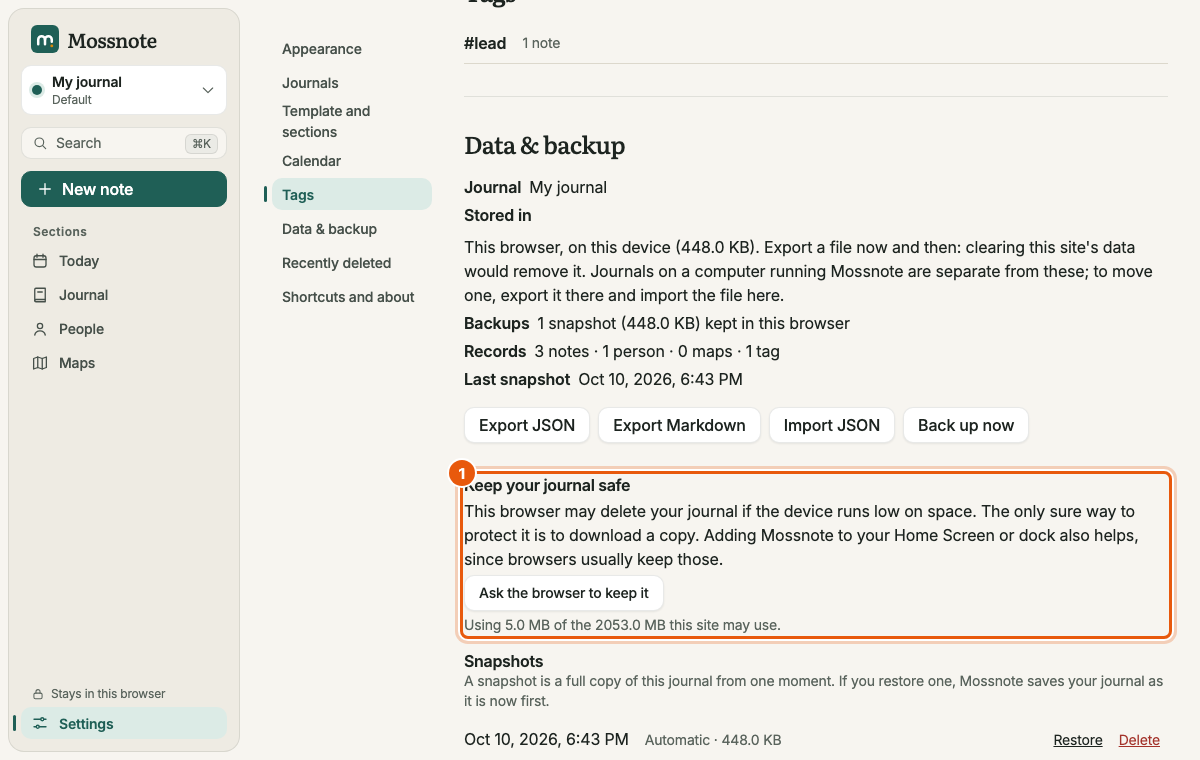
The journal lives only in that browser on that device. If you clear the site's data, or lose the device, it is gone. So:
- Download a copy now and then (Settings → Data & backup → Export JSON, or Download a copy in the reminder).
- Ask the browser to keep it. Keep your journal safe in Settings → Data & backup says whether the browser has promised not to clear your journal when space runs low, and has an Ask the browser to keep it button. It also shows how much of the site's storage you use.
Backup reminders#
A reminder appears at the top of the page, on any screen, when the journal has something in it and:
- you have never downloaded a copy and the journal is 3 days old, or
- your last downloaded copy is 14 days old.
It reads This journal is only saved in this browser, and you haven't downloaded a copy yet. (or Your last downloaded copy was N days ago.) with Download a copy and Remind me later. Remind me later quiets it for 3 days.
One tab at a time#
Two tabs writing to one journal could corrupt it, so a second tab refuses to start.
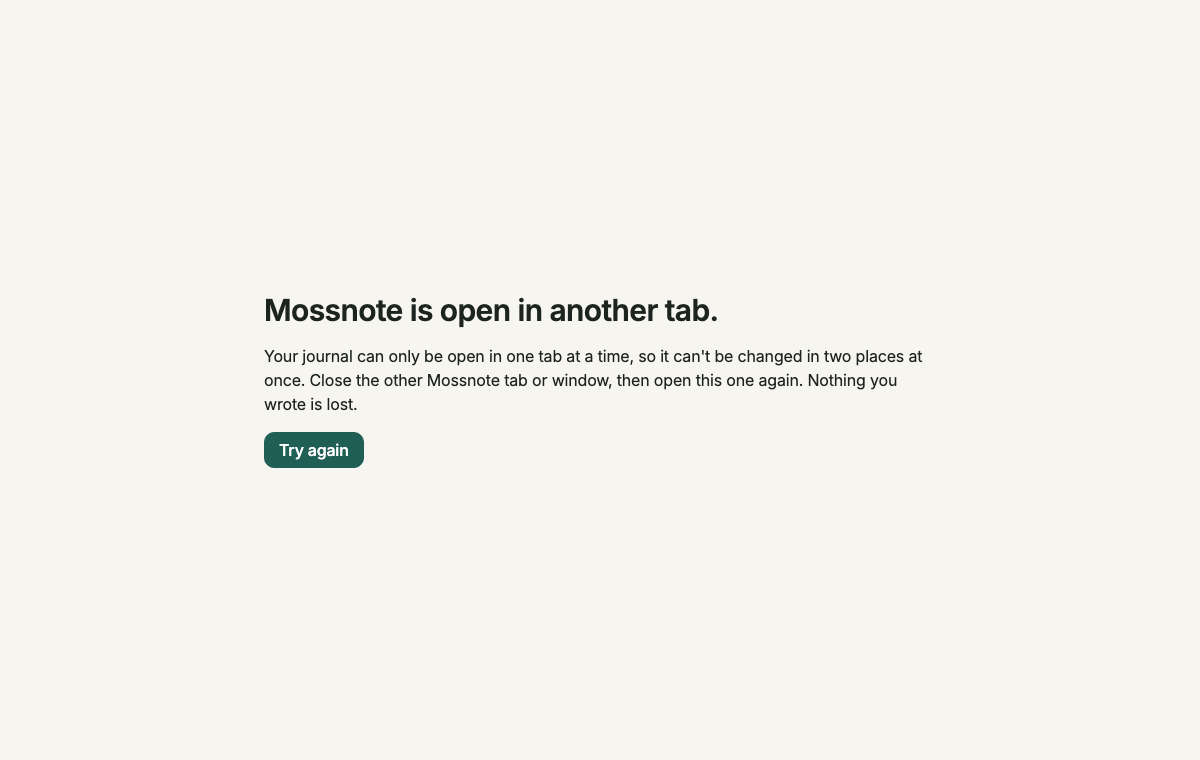
Close the other tab or window and choose Try again.
Updates and offline use#
- After the first load the app is kept on your device, so it opens with no connection.
- When a new version is published and your browser has fetched it, a bar says A new version of Mossnote is ready. with Reload to update. The page is never half old and half new: it switches only when you choose.
- The only time the web version uses the network is to look for a newer copy of the app when you open the page with a connection. It never sends your notes.
- These documentation pages are separate from the app and are not kept for offline use.
If the browser cannot keep your journal#
- Private windows often cannot keep files. Mossnote says This browser can't keep your journal and why. Use a normal window.
- Drafts need local storage too. Without it the note box says Drafts won't be kept in this browser.
- If startup fails for any other reason you see Mossnote couldn't open your journal, with the browser's message and Try again. Nothing you wrote is changed.
Moving a journal between versions#
There is no sync. To move a journal from a browser to a computer (or the reverse), export it as JSON on one side and import the file on the other. See Import.
Hosting it yourself#
For people who run the project: build it with npm run build:standalone and put dist/standalone on any static host. For a GitHub project site, set MOSS_BASE=/repository-name/ before building. The repository's Web version workflow does this and also adds these documentation pages at /docs/. See How it works.