Everyday use
Tags
Label notes, people and farm entries with tags, pin the ones you use most, and rename, merge or delete them in Settings.
A tag is a short label such as #lead or #tasks. You can put tags on notes, people and farm entries, and the same tag works across all three. Tags are yours to invent: Mossnote never creates one for you.
Adding tags#
- In a note: type
#and choose a tag or Create #name. Or use the Tag button. Or put#tagsalone on the last line of a new note. See Writing notes. - On a person or farm entry: use the Add a tag box in the Tags section and press Enter. Remove a tag with its ×.
- On a map marker: markers have their own tags (up to 10). See Marker details. Marker tags are separate from note tags.
What a tag can be#
- 1 to 40 characters, with at least one letter or number.
- Spaces become hyphens, so
side questis saved asside-quest. A leading#is dropped. - The characters
, # @ [ ]and control characters are not allowed. - Case does not matter for matching:
Leadandleadare the same tag. The first spelling you used is the one shown.
Finding things by tag#
- In the Journal, the Tag filter shows notes that have every ticked tag.
- A tag chip on a note, person or farm entry opens the matching list: the Journal, People or Farm filtered to that tag.
- The address
/tags/leadgoes to the Journal filtered tolead. - In search,
#leadfilters by tag.
Pinning#
A pinned tag becomes a shortcut. Up to eight pinned tags appear under Pinned in the sidebar (and in the phone's More sheet), where each opens the Journal filtered to it. They also appear as one-click chips above the Journal. Pinning is how you make your own "sections" out of tags.
Managing tags in Settings#
Settings → Tags lists every tag with how many notes, people and farm entries use it. Point at a row (or focus it) to reveal its actions.
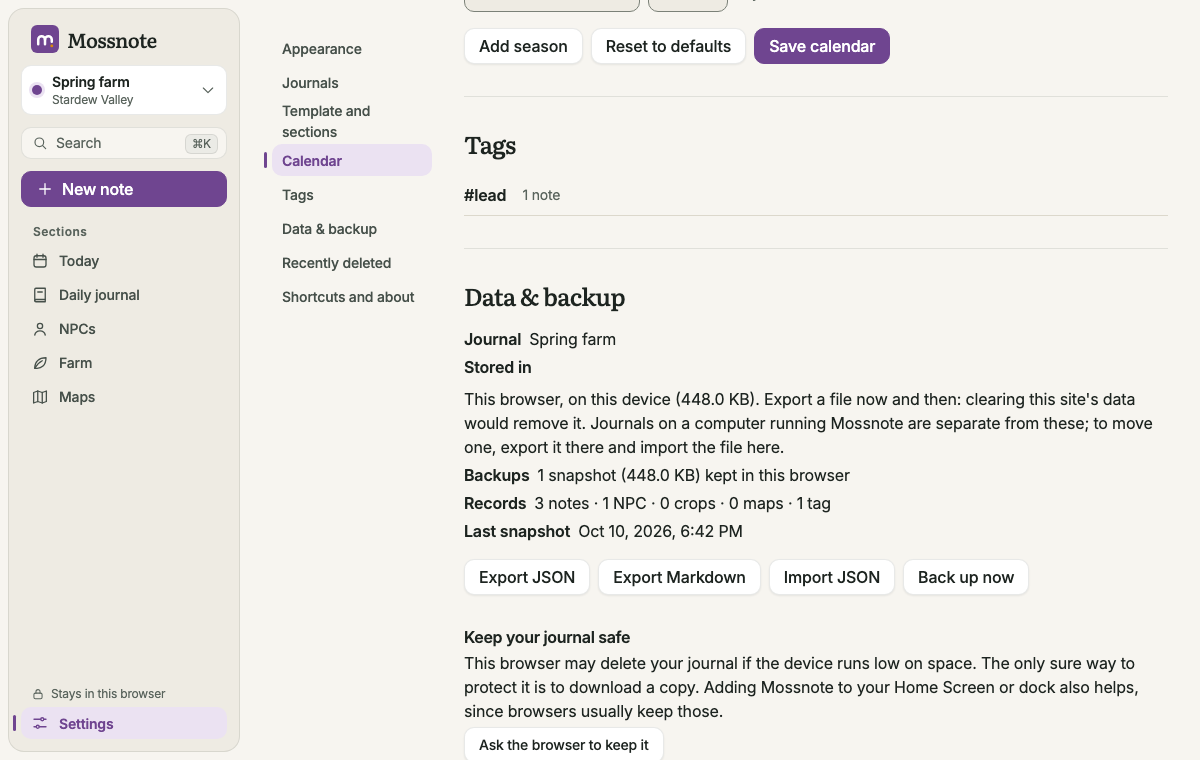
| Action | What it does |
|---|---|
| Pin / Unpin | Adds or removes the tag from the sidebar's Pinned list. |
| Rename | Edits the name in place; press Enter to confirm, Esc to cancel. If the new name already belongs to another tag, Mossnote offers to merge instead. |
| Merge | Choose another tag; everything tagged with either keeps the one you chose. |
| Delete | Asks first. The tag is removed from everything that used it. Nothing else is deleted. |
A tag with no uses reads Not used. When you have no tags yet, the list says Tags you use will appear here.