Tutorials
"Tutorial: a season on the farm"
Use the Stardew Valley template for a week of play: set the date, take notes with quick actions, plant and harvest on the Farm, and track an NPC.
This tutorial follows a few in-game days with the Stardew Valley template. The crops and names are only examples: Mossnote knows nothing about the game, so you type everything. About fifteen minutes.
1. Make the journal and set the date#
- On the first screen choose Stardew Valley, name the journal (for example Spring farm) and choose Start my journal. The page turns plum.
- Choose Set date. The picker shows Year, Season and Day. Leave Year 1 and Spring, click day 3, and choose Set date.
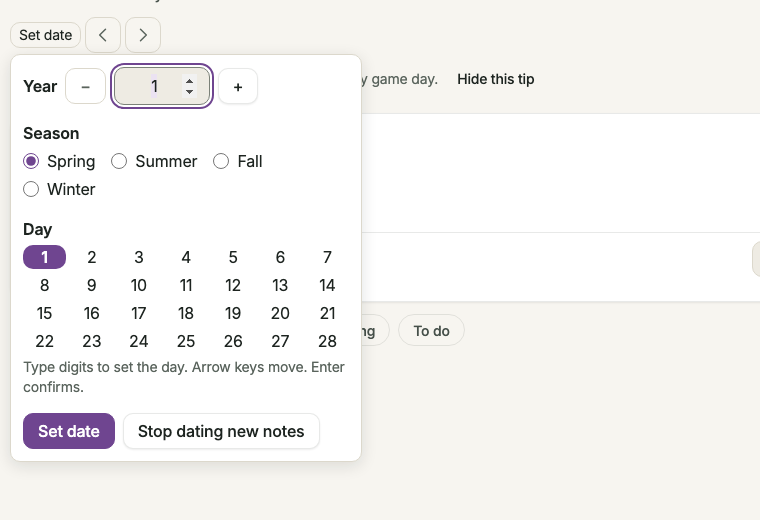
Expected: the chip reads Spring 3 · Year 1.
2. Take notes with quick actions#
- Click Met someone under the note box. A
#metchip appears on the note and the button fills in. - Type
Introduced myself to the shopkeeper. @Pel, press Enter on Create person ‘Pel’, then save with ⌘Enter. - Click Found something, type
Found something shiny in the creek bed.and save.
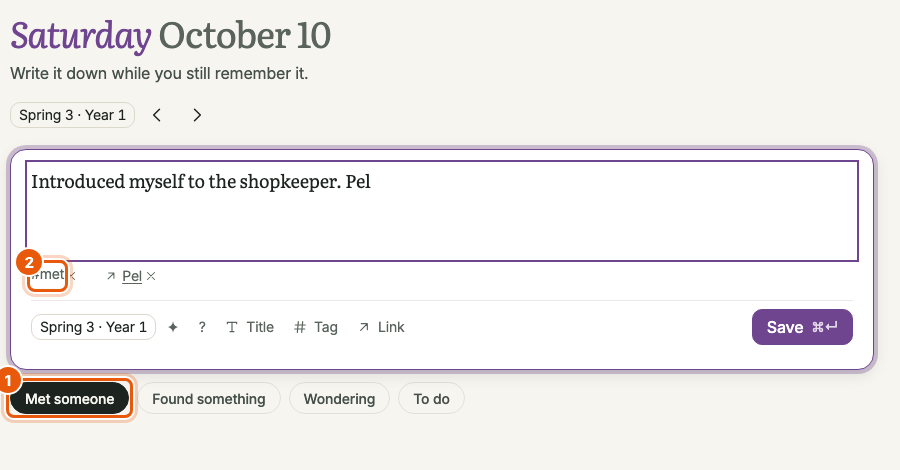
Expected: two notes dated Spring 3 · Year 1. The second has a ✦ and appears in Recent discoveries. Pel is now an NPC (open NPCs in the sidebar).
3. Track an NPC#
- Open NPCs → Pel.
- Choose Track progress, type
10and choose Set. A row of ten dots appears. - Click the third dot. The progress is now 3 of 10.
You choose what the dots mean. Pel's page also lists the notes that mention them.
4. Plant on the Farm#
- Open Farm. Type
Parsnipsin Add an entry… and press Enter. AddPotatoestoo. - Both appear under Growing, planted on Spring 3 (today's in-game date).
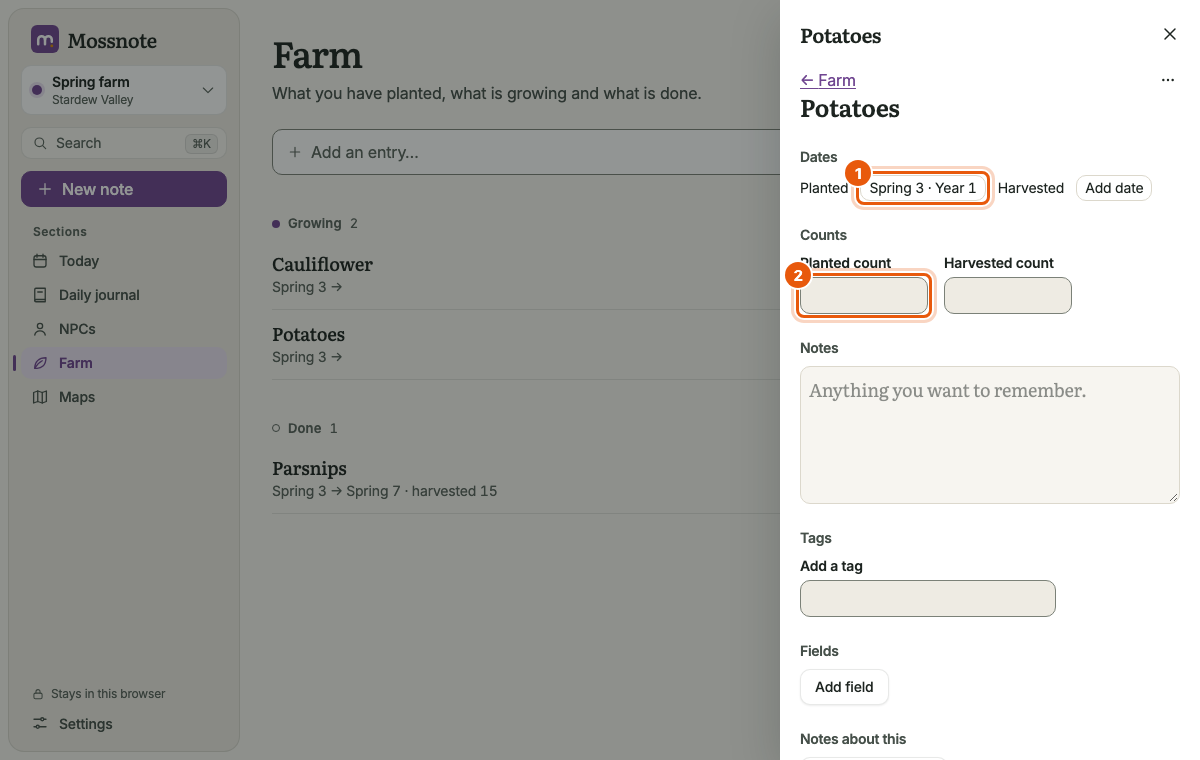
- Choose Parsnips to open its page and type
20in Planted count.
5. Let some days pass#
- Go to Today and choose › four times. The date moves to Spring 7, each step with an Undo message.
- Note that Today now shows a Growing section with your two entries.
6. Harvest#
- Open Farm and point at Parsnips. Choose Harvested today.
- In Harvested count type
15and press Enter.
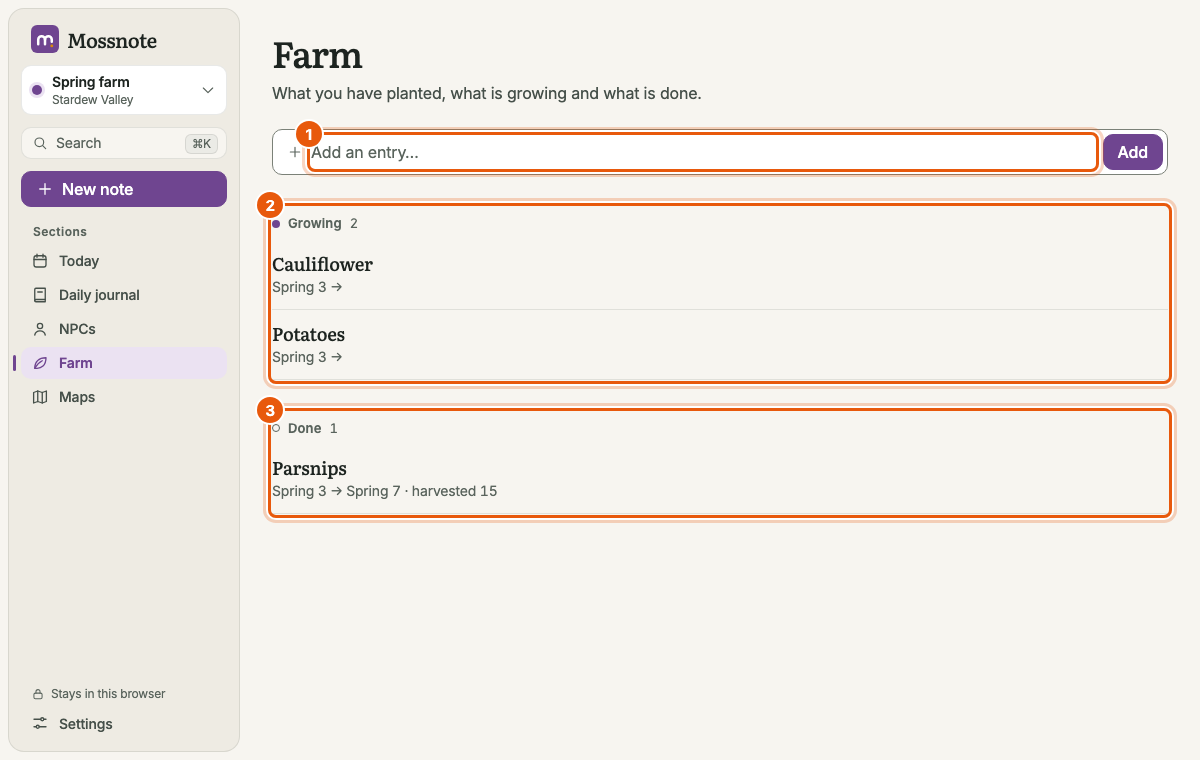
Expected: Parsnips moves to Done and reads Spring 3 → Spring 7 · harvested 15. Pointing at it shows Plant again, which starts a new entry with the same name and tags, planted today.
7. Review and wrap up#
- Daily journal shows your notes by day. Choose Discoveries to see only ✦ notes.
- Search for
spring 3to see everything dated that day, or#metfor the people you met. - When the season changes in the game, just keep moving the date on: Spring 28 rolls into Summer 1.
- Download a copy from Settings → Data & backup before you stop for the day.
Make the calendar match your game if it differs: Settings → Calendar.