Start here
Mossnote documentation
Learn Mossnote, a private, spoiler-free journal for the games you play. Start with the basics or jump to the part you need.
Mossnote is a journal you keep while you play a game. You write down what you find out, in your own words, and Mossnote keeps it organised: by in-game day, by person, by tag, and on maps you draw yourself. It ships with no information about any game, so it can never spoil anything, and it never sends your notes anywhere.
Start here#
- Getting startedOpen Mossnote, pick a template and write your first note in about two minutes.
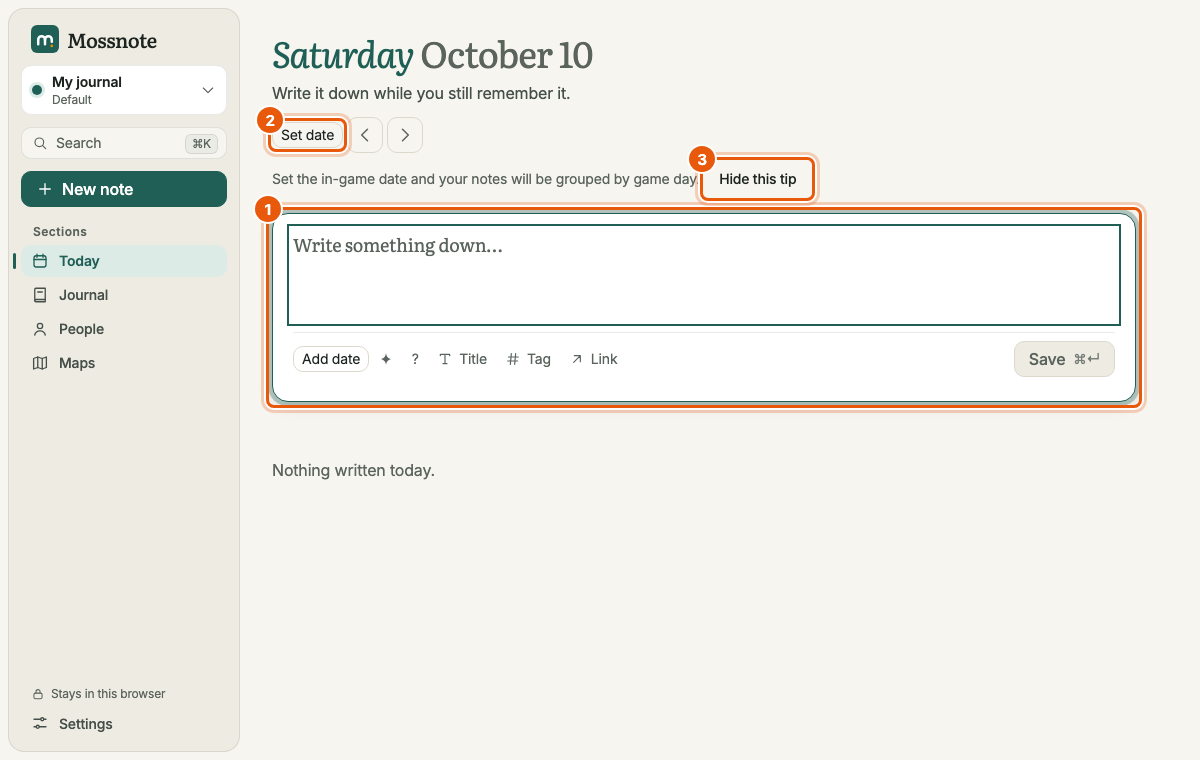
- A tour of the screenWhat every part of the window does, on a computer, a tablet and a phone.
- Tutorial: your first sessionA guided example from an empty journal to a useful one.
Everyday use#
- Writing notesThe note box, tags, people, links and the
/menu. - Dates and the calendarKeep track of the in-game day, or count days with the Default template.
- Looking backToday, a single day, and the whole Journal with its filters.
- Questions and discoveriesFlag a note, leave a question open and solve it later.
- PeopleOne page per person, built from what you wrote about them.
- SearchFind anything, even with a typo, with filters such as
is:question.
Maps#
A built-in drawing tool for the places you explore, with markers that link back to your notes. Start with the maps overview, then see the drawing tools, markers and exploring mode, and layers, history and export.
Templates and journals#
Keep one journal per game. A template only changes wording and adds a few shortcuts. The Default template fits any game; the Stardew Valley template adds a Farm section, a calendar of seasons and quick actions.
Your data#
- Data and backups: where your journal lives, export, import, snapshots and Recently deleted.
- The web version: Mossnote in a browser, with your journal kept in that browser.
- Phone access: write on a phone while the computer runs the journal.
Look things up#
- Settings reference, keyboard shortcuts and limits, file formats and options.
- Feature inventory: every feature, with what is implemented and what is not.
- Troubleshooting and the FAQ.