Everyday use
Questions and discoveries
Flag notes as discoveries or open questions, answer a question in your own words later, and find them again.
Two flags turn an ordinary note into something you can come back to. Mossnote never suggests or looks up an answer: the app knows nothing about any game, so every answer is yours.
Discoveries ✦#
A discovery is anything you found out. Turn on the star in the note box (or in the note's ⋯ menu, Mark as discovery) and the note shows a ✦ beside it.
- Today lists your three newest discoveries, from any date, under Recent discoveries.
- In the Journal, choose Discoveries to see only these notes.
- In search,
is:discoveryfinds them. See Search.
Questions ?#
A question is something you want to find out. Turn on the ? in the note box, or use Mark as question in the note's menu. A question can be in one of two states:
- Open
- The default. The note shows open since Day 12 (the date the note carries) and a Mark solved button.
- Solved
- The note shows a ✓, Solved Day 12 (the current in-game date when you solved it) and a Reopen button, followed by your answer if you gave one.
Solving a question#
- Choose Mark solved under the question.
- Type the answer in your own words (up to 2,000 characters) and press Enter, or choose Skip to solve it without writing an answer. Esc cancels.
- The note changes to the solved state.
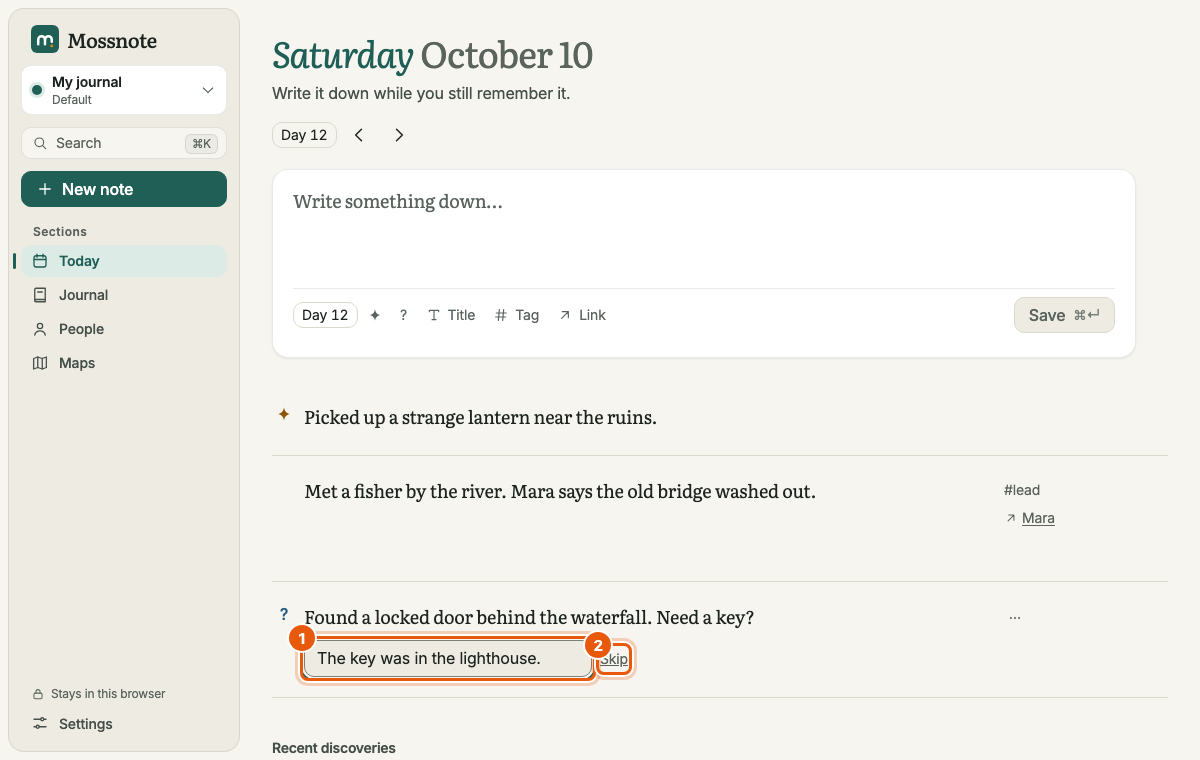
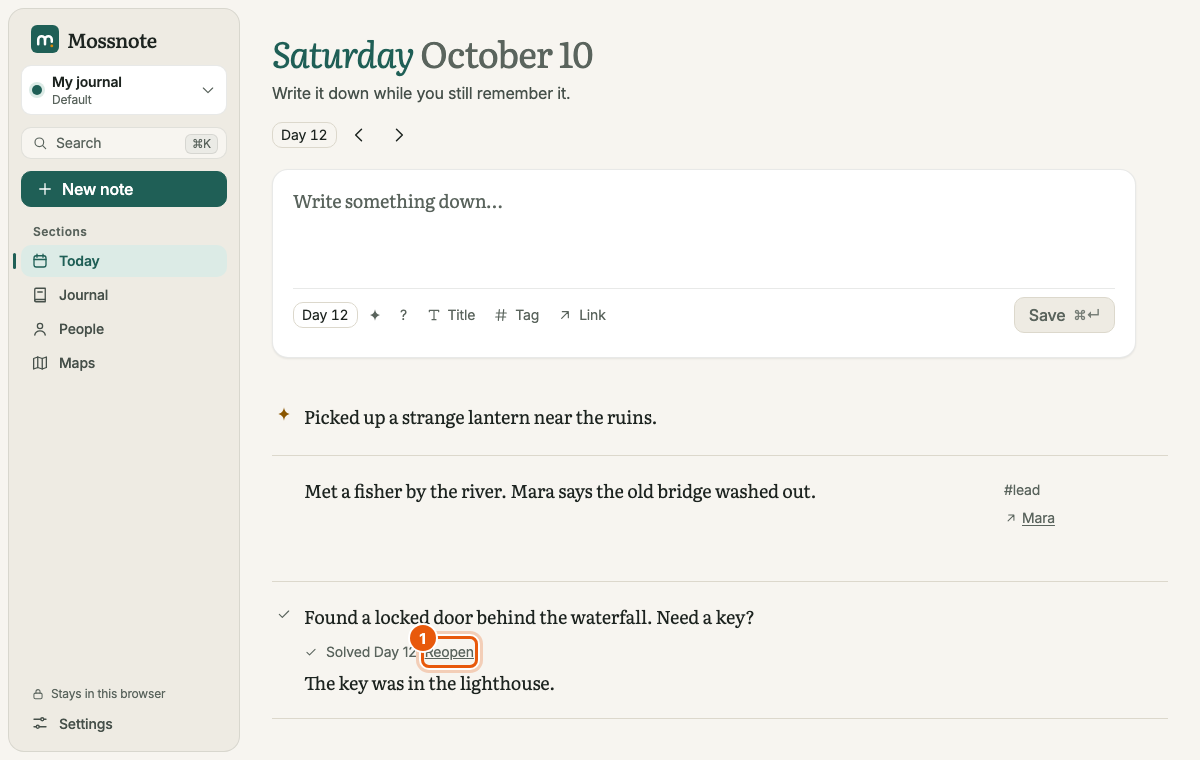
- Reopen turns it back into an open question. Its answer stays, in case you solve it again.
- Removing the ? flag from a note that has an answer asks Remove the question? first, because it also clears the answer.
- If you solve a question without an answer, you can still add or change the answer later by reopening it and solving it again.
Finding your questions#
- Today shows a link such as 1 open question when any are open. It opens the Journal filtered to open questions.
- Journal → Questions has an Open / Solved / All switch, and Open is chosen for you.
- Search understands
is:question,is:openandis:solved.
Combining flags#
A note can be both a discovery and a question. The two flags are independent of each other and of tags, people and links.