Everyday use
Looking back
Read your notes by day or all together, and narrow the Journal with filters that you can bookmark.
Three screens show your notes: Today (the day you are on), a Day page (any one day) and the Journal (everything). In the Stardew Valley template the Journal is called Daily journal.
Today#
Today is the screen you land on. From top to bottom:
- The real weekday and date in large type, and a line of help.
- The in-game date controls.
- The note box (and, in the Stardew Valley template, the quick actions under it).
- The notes for the current in-game day, newest first. With no in-game date set, it shows the notes you wrote on the real day. When there are none it says Nothing written for this day. A quiet day is fine.
- Optional sections that disappear when empty: Recent discoveries (the three newest ✦ notes of any date), Growing (up to three planted, unharvested farm entries; Stardew Valley only) and a link such as 2 open questions that opens the Journal filtered to open questions.
In the web version, a backup reminder can appear at the top of the page.
A single day#
A Day page shows every note dated that day, with a note box that stamps new notes with that day. Reach it by choosing a day's heading in the Journal. Its address is /day/…, so you can bookmark it.
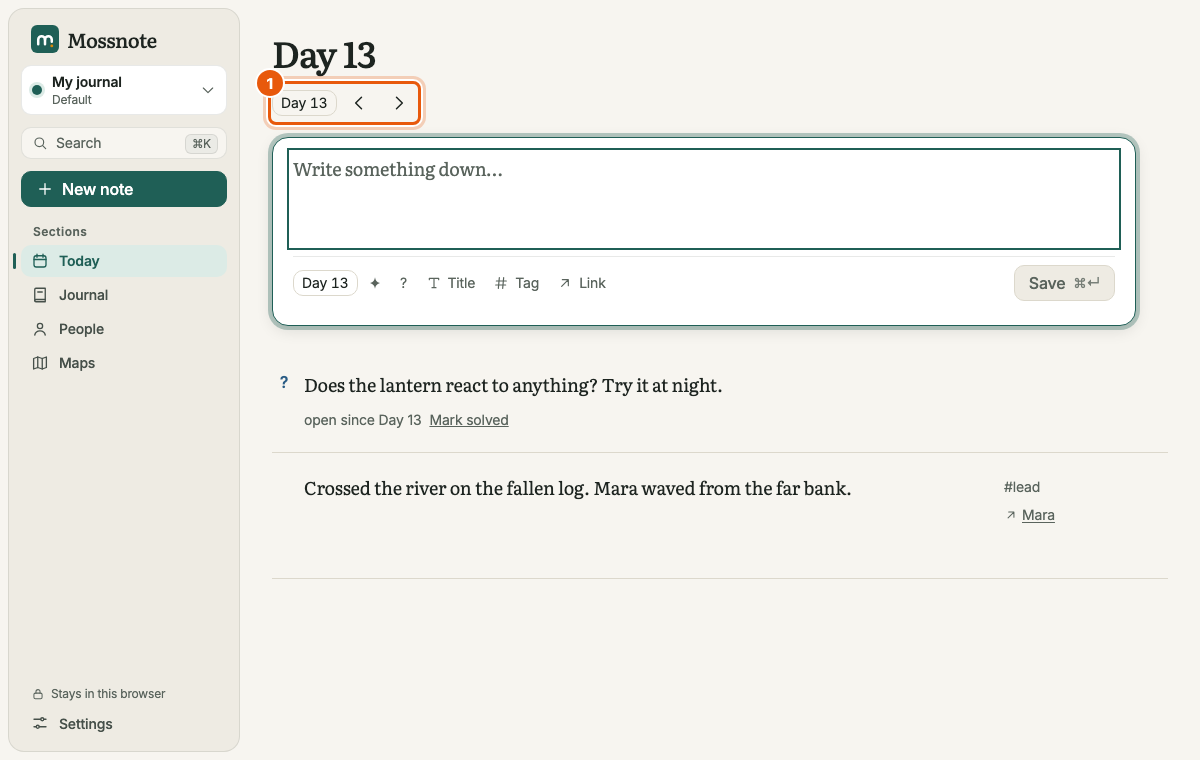
- The chip jumps to any day. The ‹ and › buttons, or [ and ], step one day back or forward.
- Viewing a day does not change today's in-game date; that only changes on Today.
The Journal#
Every note, grouped under day headings with the newest day first. Under the title a row of controls filters the list.
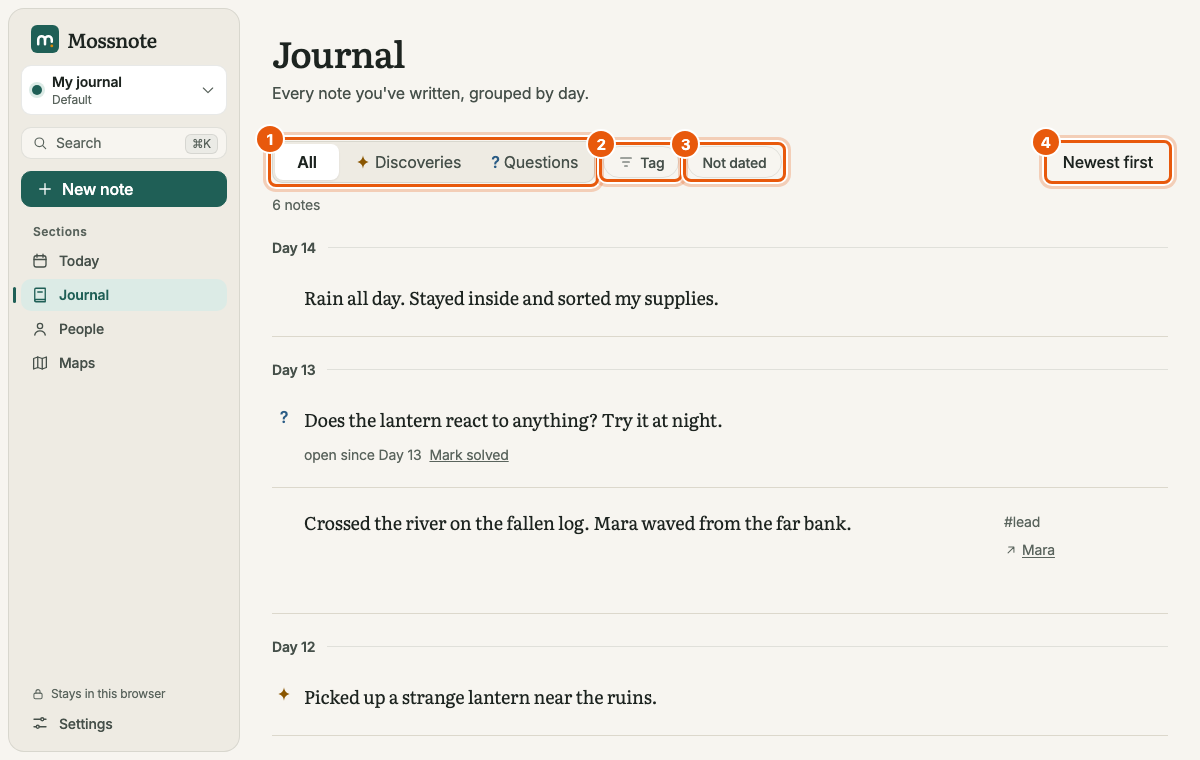
| Control | What it does |
|---|---|
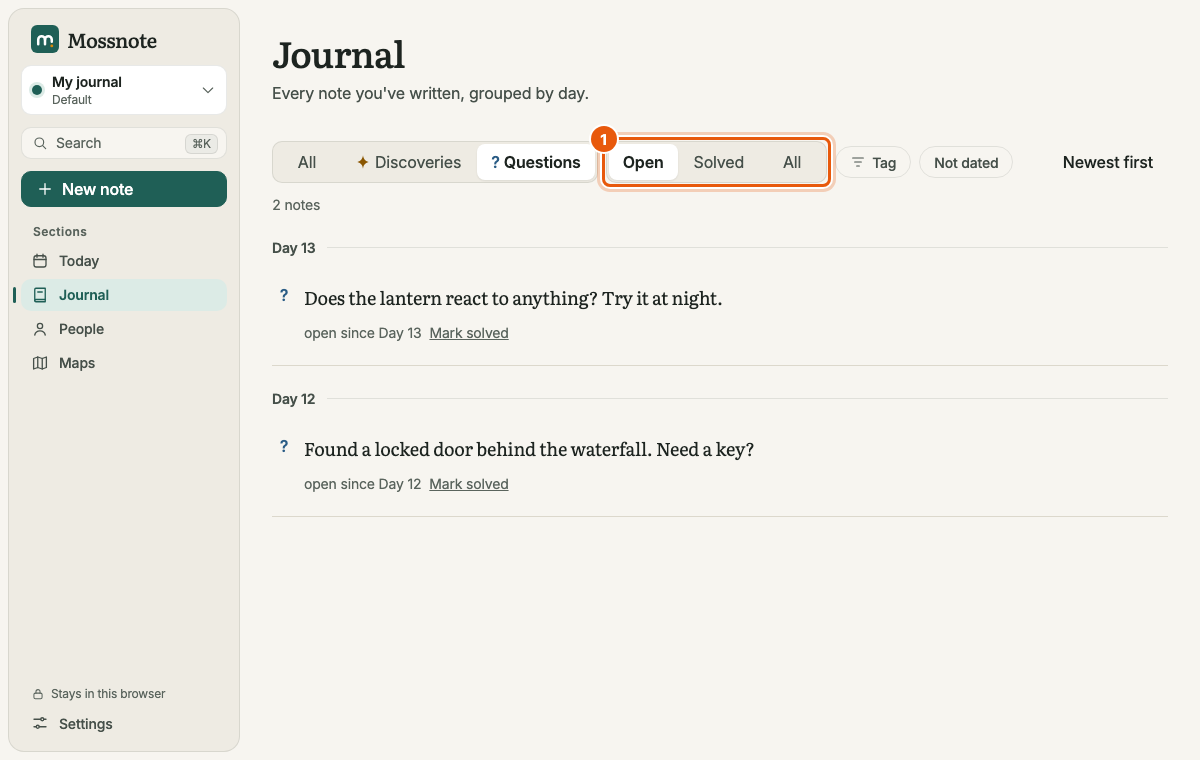
| All / Discoveries / Questions | Shows every note, only ✦ notes, or only ? notes. Choosing Questions reveals a second switch: Open (the default), Solved or All. |
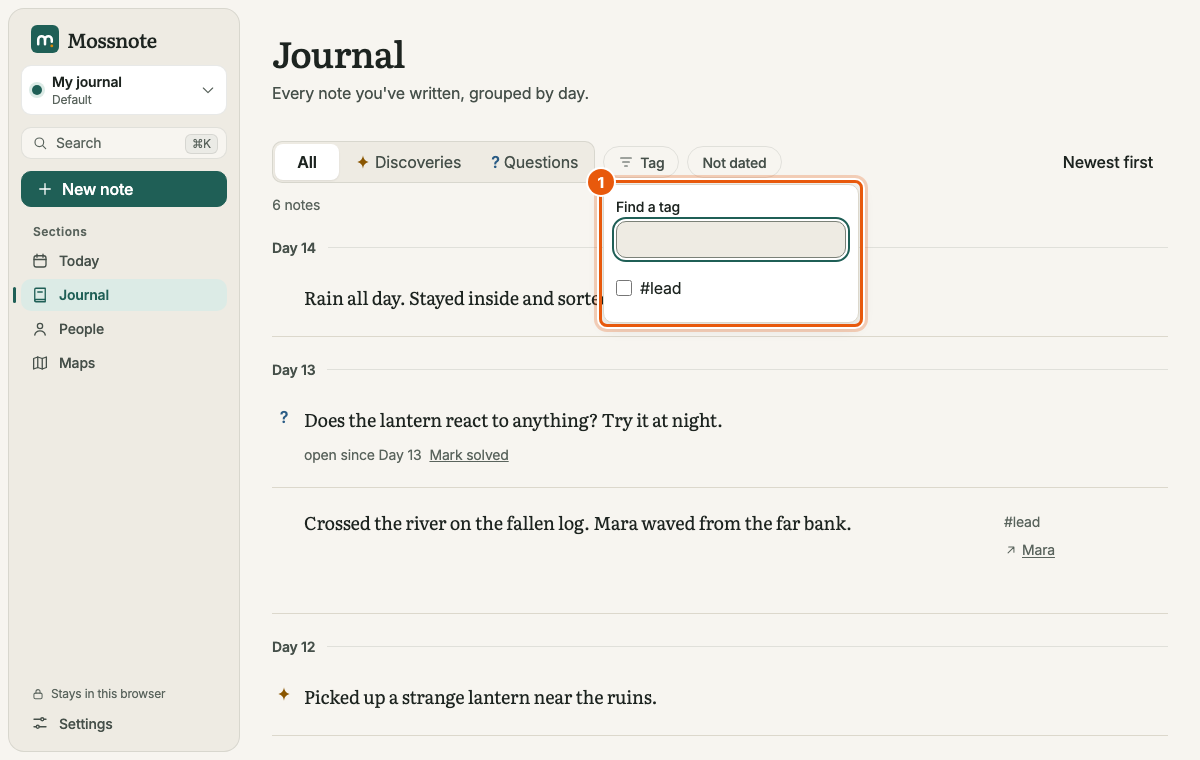
| Tag | Opens a list of your tags to tick. With several tags ticked, a note must have all of them to be shown. |
| Pinned tag chips | Up to eight pinned tags appear as chips for one-click filtering. See Pinning. |
| Not dated | Shows only notes with no in-game date. |
| Newest first / Oldest first | Switches the order. The label shows the order you are in. |
Filters live in the address#
The filters are written into the page address, for example /journal?flag=question&state=open&tag=lead&order=asc. Reloading or bookmarking reproduces the same view. Changing a filter replaces the address rather than adding to your history, so Back leaves the Journal instead of undoing each filter.
| Address part | Meaning |
|---|---|
flag=discovery or flag=question | Only discoveries, or only questions |
state=open or state=solved | Only with flag=question |
tag=name (repeatable) | Notes with that tag |
undated=1 | Only notes with no date |
order=asc | Oldest first (the default is newest first) |
Visiting /tags/name sends you to the Journal filtered to that tag, which is also where a pinned tag in the sidebar leads.
When a filter hides everything, the page offers a way to clear the filters. The list loads 50 notes at a time and fetches the next 50 as you scroll to the end.